
Description
Know which letters your students know, which ones they confuse, and what to teach next.
Teaching the alphabet involves more than helping children sing the ABC song. Some students recognize uppercase letters but struggle with lowercase letters. Others know a letter's name but cannot connect it to a beginning sound. Letters such as b, d, p, and q can also be difficult to tell apart.
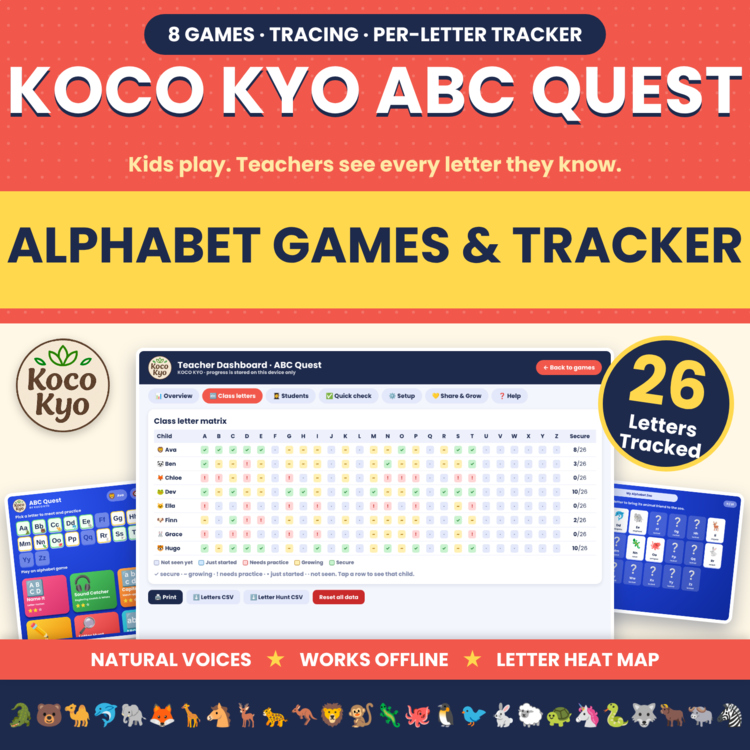
Koco Kyo ABC Quest helps you address these challenges with eight interactive alphabet games, a practice area for all 26 letters, and a Teacher Dashboard that records each child's progress letter by letter.
Instead of relying on one overall score, you can review individual letters, identify common mistakes, and decide which letters need more practice during your next small-group lesson.
Open one HTML file in a supported browser and start playing. No sign-up, no ads, and no internet connection needed after download.
WHAT STUDENTS WILL PLAY
Eight interactive games help children practice alphabet skills in different ways.
Name It: Hear a letter name and select the matching letter.
Sound Catcher: Identify the letter that begins a pictured word.
Capital & Small: Match uppercase and lowercase letters.
Font Detective: Recognize the same letter in different fonts.
Trace It: Trace uppercase and lowercase letters on the screen.
Letter Hunt: Find a target letter in a timed activity to practice letter-naming fluency.
ABC Order: Identify which letter comes next.
Look-Alike Lab: Practice distinguishing similar-looking letters, including b, d, p, and q.
Letter Lab: Practice All 26 Letters
Students explore each letter through six practice questions, trace its uppercase and lowercase forms, and unlock a matching animal.
Alphabet Zoo: Celebrate Letter Learning
Students collect animal stickers as they learn letters, from alligator for A to zebra for Z. The collection gives them a visual way to celebrate their progress.
DESIGNED TO ADDRESS COMMON ALPHABET LEARNING CHALLENGES
Students are not ready for all 26 letters at once? Choose a smaller letter group, expand to additional groups, or work with the full alphabet.
Children confuse similar-looking letters? Practice letter recognition with activities focused on commonly confused letters.
Students need different amounts of practice? The game provides more practice with letters they miss and letters found in their names.
Beginning sounds are difficult? Picture-word questions connect letters to familiar words, such as identifying the letter that begins ball.
Children cannot yet read the instructions independently? Built-in read-aloud audio helps them follow questions without needing to read every prompt.
Students need encouragement to keep trying? Stars, confetti, and visual hints after two incorrect attempts provide feedback as they play.
Several children share one device? Multiple-player support keeps a separate letter record for each player.
Choose the letters in play using the available groups, the full alphabet, or letters from students' names. Similar-looking letters can be kept separate during practice until you decide to teach them together.
TEACHER DASHBOARD: SEE PROGRESS LETTER BY LETTER
When students need help, knowing their total score is not always enough. The ABC Quest dashboard helps you see where additional instruction may be useful.
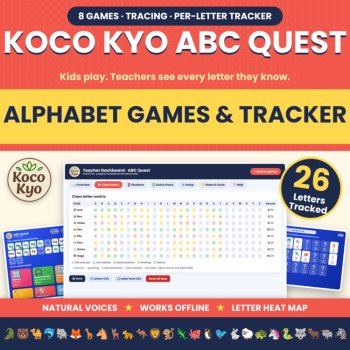
Class Letter Matrix: View each child's progress across all 26 letters, using the categories Secure, Growing, Needs Practice, Just Started, and Not Seen.
Teach These Next: Identify letters your class may need to practice more often.
Individual Student Reports: Review five skill indicators per letter, commonly confused letters, and suggested areas for practice.
Letter Hunt Speed: Review performance over time during timed letter-finding activities.
Quick Check: Record a check or cross while assessing a child's letter naming one-on-one. Results are saved to the same letter record.
Print Reports: Prepare student summaries for meetings, conferences, or planning.
Export CSV: Save letter records and Letter Hunt results for your own records.
Progress is stored locally in the browser on the device being used. No accounts are required, and the game does not collect or send student data anywhere.
Use these results to plan practice and small-group instruction. ABC Quest is a learning and progress-tracking tool, not a formal screening or diagnostic assessment.
PERFECT FOR
Pre-K and preschool alphabet practice
Kindergarten literacy centers
First-grade review
Small-group instruction
Early literacy intervention and additional practice
Morning work
Early finishers
Substitute plans
Computer labs and interactive classroom screens
Home practice and homeschooling
ESL and ELL letter learning
SKILLS PRACTICED
Uppercase and lowercase letter recognition
Letter-name recognition
Letter-sound correspondence and beginning sounds
Letter formation through tracing
Recognizing letters in different fonts
Alphabetical order
Discriminating between b, d, p, q, and other similar letters
Letter-naming fluency
The activities support foundational skills associated with standards including CCSS RF.K.1.D, RF.K.3.A, L.K.1.A, and RF.1.1.
WHAT YOU GET
One downloadable HTML file containing eight games, Letter Lab, Alphabet Zoo, the Teacher Dashboard, and two built-in read-aloud voice options. Approximately 6 MB.
One thank-you and preview PDF with quick-start instructions.
GOOD TO KNOW
Compatible browsers: Chrome, Safari, Edge, and Firefox.
Offline use: Save the HTML file to your device and open it in a supported browser. On iPads and Chromebooks, save it to Files or Drive first.
Read-aloud audio: Two built-in voice options are included in the file and work offline. A third option uses your device's text-to-speech feature.
Tracing: The tracing activity checks whether the child covers the letter shape. It does not assess the correct stroke order.
Font Detective: Available font styles depend on the fonts supported by the device.
Letter Hunt: Speed results are a general guide and may be affected by how comfortably a child uses the screen.
Progress storage: Records are saved in the browser on the device used. Use the same device and browser for continued tracking. Clearing browser data can erase progress, so export a CSV backup when needed.
File format: This is a downloadable HTML activity, not an Easel or Google Slides resource.
Make Your Next Alphabet Lesson More Focused
Help children practice letter names, beginning sounds, uppercase and lowercase matching, and letter formation while giving yourself a clearer picture of what each student needs to practice next.
License: One teacher and one classroom, or one family. Additional teachers must purchase their own licenses. Do not post the file online or upload it to a learning platform.
Report this resource to Linked Through Learning
Reported resources will be reviewed by our team. Report this resource to let us know if this resource breaks our rules.
Questions & Answers
Sign in to ask a questionNo questions yet.

Meet the Seller
Learn. Play. Create. Educational Games, Interactive Activities & Teacher Trackers
Koco Kyo creates engaging educational games, interactive digital activities, printable worksheets, and practical classroom trackers that make learning more engaging and help teachers organize student progress. Explore phonics and literacy games, math activities, skill-building resources, and easy-to-use Excel and Google Sheets trackers designed for classroom practice, learning centers, intervention, and independent learning. From playful games to practical teaching tools, Koco Kyo helps teachers bring learning to life.
DZ
- 0Followers