
Class of 30 Data Tracker | Phonics, SEND, Assessment & Wellbeing | RAG Dashboard
$3.95 $3.55
Add to cart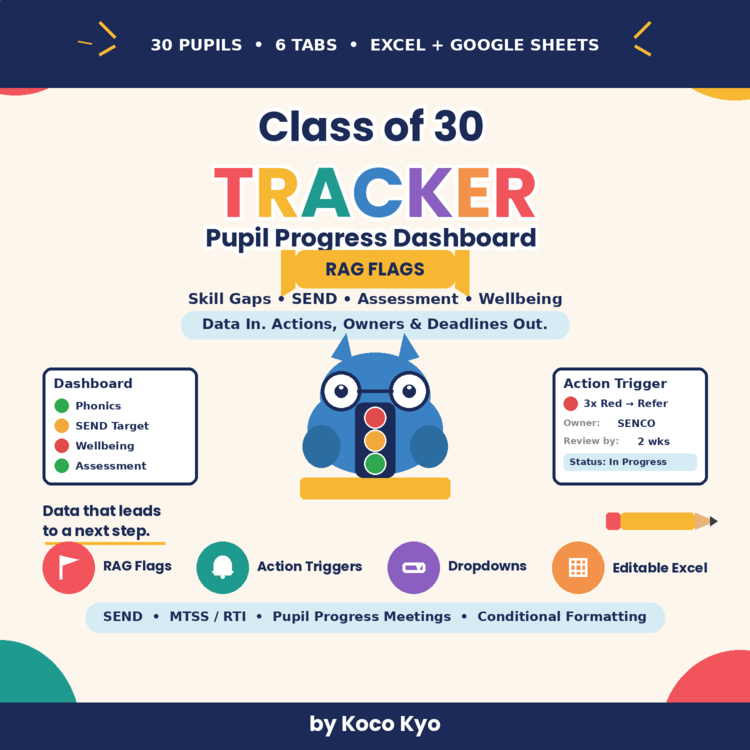
Description
30-Pupil Progress Tracking • RAG Flags • Action Triggers • Editable Excel + Google SheetsTurn pupil data into clear next steps.
Stop collecting data that nobody acts on.
The Class of 30 Tracker Dashboard brings key pupil information into one practical system and helps turn it into clear RAG flags, actions, owners, and review deadlines — making your next step easier to see.
Designed for time-poor teachers, the workbook uses 30-row tabs sized for one full class, with dropdowns, automatic RAG colors, and focused data entry.
No extra rows to trim. No unnecessary scrolling. No complicated setup.
Fewer, reliable trackers can be more useful than a collection of spreadsheets that never gets used.
What's Inside — 6 Ready-Made Tabs Tab What It Does Dashboard One-screen overview of phonics, SEND, summative assessment, and wellbeing/behavior RAG flags, with headline numbers for pupil-progress discussions and SLT reporting Phonics Skill-GapTrack skill-by-skill probes with baseline, current level, gap notes, retraining decisions, and recheck dates SEND Small-StepRecord one observable target per row with dated evidence to capture progress that may not be visible through curriculum outcomes alone Summative Assessment Track reading, writing, and math's domains with RAG status and recorded actions for pupil-progress meetings Wellbeing & BehaviorEvent-based log with severity levels — designed to record significant events without requiring daily ticking Action Triggers Reference sheet showing trigger rules, suggested actions, owners, and review deadlines
Why Teachers & MTSS / RTI Teams Will Find It Useful
Instant RAG traffic lights — conditional formatting displays Green, Amber, and Red status as you enter data
Dropdown menus — predefined options help keep skills, severities, outcomes, and other entries consistent
Action triggers built in — reference rules help connect repeated concerns with a possible next step
MTSS / RTI ready — record tiered interventions, review points, graduation, and referral decisions
Workload-conscious design — focuses on useful evidence rather than unnecessary paperwork
Fully editable Excel workbook — customize skills, year groups, pupil names, and terminology for your setting
Google Sheets version included — create your own editable Google Sheets copy from the included link
Sample data included — see how the tracker works before replacing the examples with your own class information
Perfect For
Primary / elementary teachers managing a class of around 30 pupils
KS1 / Reception–Year 2 phonics and early-reading leads
SENCOs recording small-step evidence for interventions and EHCP reviews
MTSS / RTI teams tracking tiered support and review points
Pupil-progress meetings where data needs to lead to a clear next step
Teachers who want one practical place to organize multiple strands of pupil information
Files Included Excel Version
Tracker_Dashboard.xlsx
Includes:
6 ready-made tabs
Automatic RAG conditional formatting
Dropdown/data validation
30 pre-structured pupil rows per tracker
Sample demonstration data
Editable fields and terminology
Google Sheets Version
An editable Google Sheets copy link is included with your purchase.
Open the link and select Make a copy to create your own editable version in Google Drive.
Your copy belongs in your own Google Drive and can be customized for your classroom.
Important Information
This is a digital resource. No physical product will be shipped.
The tracker is designed to support data collection, progress monitoring, and decision-making.
It does not replace professional judgement, formal assessments, or your school's SEND, safeguarding, behavior, or intervention procedures.
Sample data is provided for demonstration purposes. Replace it with your own information before classroom use.
Please follow your school's policies for storing and handling pupil information.
LICENSE & TERMS OF USE
This resource is licensed for use by one educator in one classroom.
You may edit the resource for your own classroom or instructional needs.
Please do not share, resell, redistribute, upload, or publicly post the original resource or your modified version. Do not distribute the resource to other educators, schools, websites, or online platforms.
If another educator would like to use this resource, please direct them to the original listing or purchase an additional license where applicable.
Report this resource to Linked Through Learning
Reported resources will be reviewed by our team. Report this resource to let us know if this resource breaks our rules.
Questions & Answers
Sign in to ask a questionNo questions yet.

Meet the Seller
Learn. Play. Create. Educational Games, Interactive Activities & Teacher Trackers
Koco Kyo creates engaging educational games, interactive digital activities, printable worksheets, and practical classroom trackers that make learning more engaging and help teachers organize student progress. Explore phonics and literacy games, math activities, skill-building resources, and easy-to-use Excel and Google Sheets trackers designed for classroom practice, learning centers, intervention, and independent learning. From playful games to practical teaching tools, Koco Kyo helps teachers bring learning to life.
DZ
- 0Followers