
Description
Spelling Games & Printable Worksheets: Interactive Spelling Platform with Teacher Dashboard (Grades K-3)
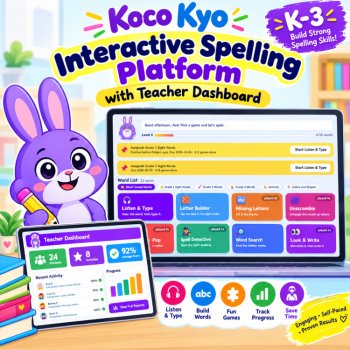
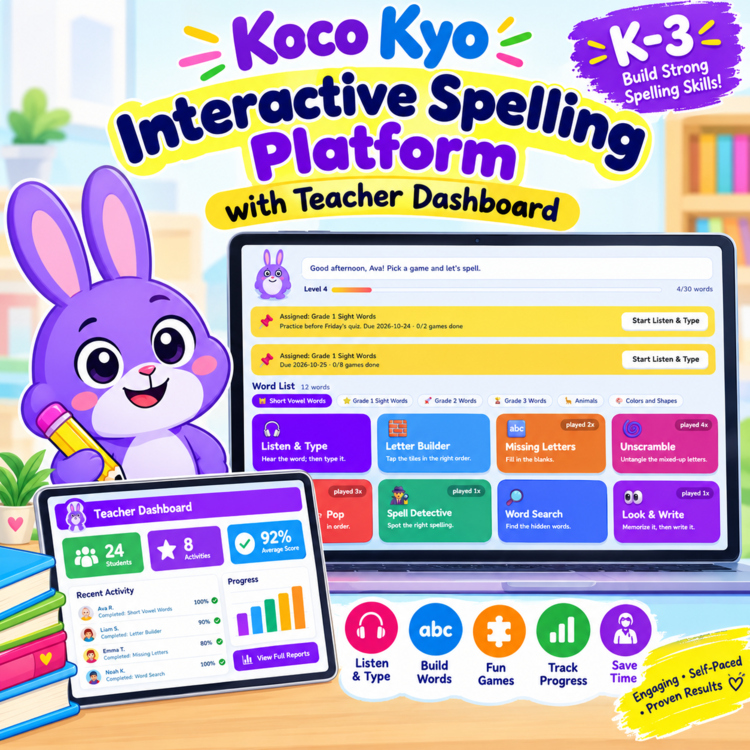
One file. 8 spelling games, 11 printable worksheet types, and a teacher dashboard that shows who needs help. Kocokyo Spell runs in any web browser on a Chromebook, iPad, laptop or classroom computer. No login, no installs, no ads.
WHY TEACHERS LIKE IT
- Use your own spelling lists. Drop in a Word, Excel, CSV or text file, or paste a list, and the games and worksheets update. No retyping.
- See the data. The dashboard shows class accuracy, most-missed words and which students need support.
- Print and play from the same list. The same words power the games and the pintable's.
- Students stay motivated with animated buddies, stars, coins, badges and stickers.
STUDENT GAMES (8)
Listen & Type | Letter Builder | Missing Letters | Unscramble | Balloon Pop | Spell Detective | Word Search | Look & Write
Words are read aloud. Students get two tries per word and can replay missed words at the end of each round.
PRINTABLE WORKSHEETS (12 TYPES)
Spelling Test | Look-Cover-Write-Check | Trace and Write | Rainbow Writing | Box It Up | Missing Letters | Word Scramble | ABC Order | Fill in the Sentence | Word Search | Spelling Bingo | Certificate
Prints on US Letter or A4, with name and date lines and answer keys.
TEACHER DASHBOARD
- Class overview with words practiced per day and accuracy by game
- Most-missed words and a one-click practice list
- Student status labels and printable progress reports
- Assignments with due dates and completion tracking
- PIN protection, backup and restore, CSV export
AUTOMATIC IMPORTING
.txt, .csv, .tsv, .json, .docx, .xlsx, .html and .md files, pasted text, web addresses, and (in Chrome or Edge) an auto-synced folder. Duplicates are removed and sentences are picked up automatically. You review everything before saving.
INCLUDED WORD LISTS
Short Vowel Words, Grade 1 Sight Words, Grade 2 Words, Grade 3 Words, Animals, Colors and Shapes (with sentences).
HOW TO USE
1. Download and open Kocokyo-Spell.html in a browser.
2. Students choose a buddy and a word list, then play.
3. Open the Teacher tab to assign lists, view progress and print worksheets.
GOOD TO KNOW
Progress is saved in the browser on each device. Students who share a device can each have their own profile. Printing and file import work best when the file is opened in a regular browser tab.
LICENSE
Single-classroom license. Please purchase additional licenses to share with colleagues.
Report this resource to Linked Through Learning
Reported resources will be reviewed by our team. Report this resource to let us know if this resource breaks our rules.
Questions & Answers
Sign in to ask a questionNo questions yet.

Meet the Seller
Learn. Play. Create. Educational Games, Interactive Activities & Teacher Trackers
Koco Kyo creates engaging educational games, interactive digital activities, printable worksheets, and practical classroom trackers that make learning more engaging and help teachers organize student progress. Explore phonics and literacy games, math activities, skill-building resources, and easy-to-use Excel and Google Sheets trackers designed for classroom practice, learning centers, intervention, and independent learning. From playful games to practical teaching tools, Koco Kyo helps teachers bring learning to life.
DZ
- 0Followers