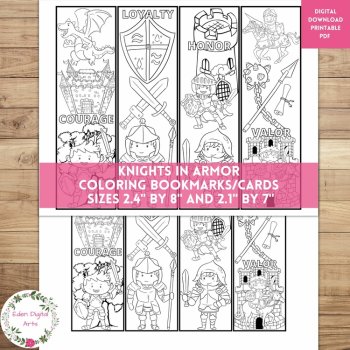
Knights In Armor Coloring Bookmarks Cards Cute Dragon Castle, Calm Craft Rewards

$2.35 (1)

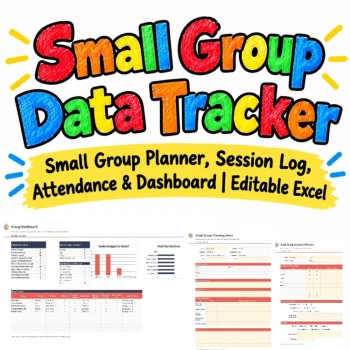
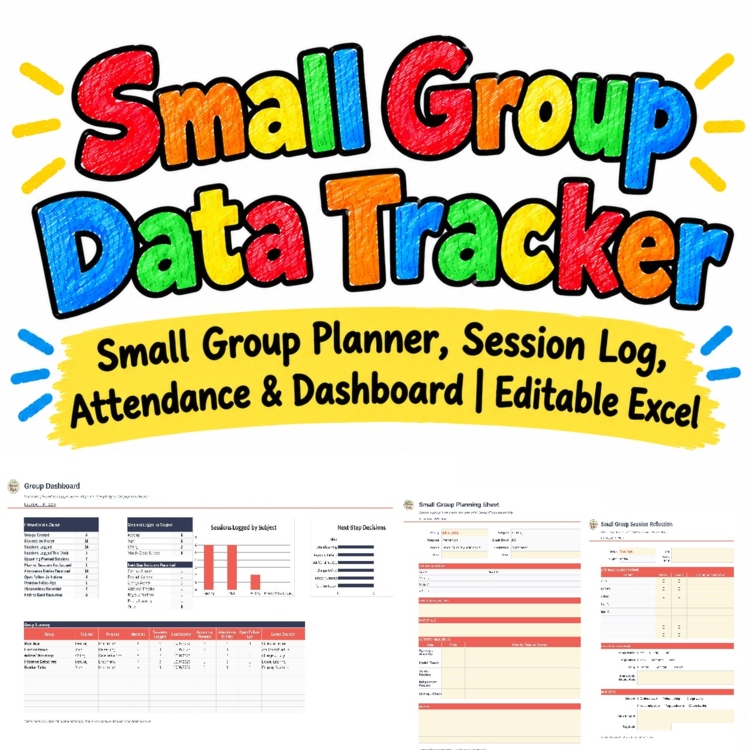
Plan, organize, document and adjust your small-group instruction - all from one workbook. Set up your groups, plan each lesson, log attendance and engagement, capture quick observations, and record the next teaching move, and the tracker ties it together with automatic status flags and a group dashboard.
Built for K-5 reading, math and writing rotations, intervention and enrichment, this editable Excel / Google Sheets tracker keeps small-group documentation in one place - so nothing gets lost between your plan book and your data binder.
WHAT'S INCLUDED (12 tabs)
- Start Here guide: a 6-step quick start, subject/purpose options, and how the status flags work
- Student Roster: up to 40 students with grade, classroom, instructional needs, and notes - each student's group count and groups fill in automatically
- Group Setup: create up to 12 flexible groups with subject, instructional purpose, grade band, frequency, focus, and up to 8 members each (dropdown-fed from the roster)
- Weekly Group Planner: 100 planned lessons with objective, lesson/activity, materials, time slot, and an automatic status (Logged / Not Logged / Today / Upcoming)
- Session Log: 300 session records with automatic group size, attendance %, and engagement
- Quick Observation Notes: 200 short notes - prompts needed, misconceptions, participation, successful strategies
- Next Steps & Decisions: 300 instructional decisions with follow-up status and a timing flag (Done / Open / In Progress / OVERDUE)
- Group Schedule: meeting days and times with automatic conflict detection and a Mon-Fri rotation grid
- Materials & Activity Bank: 100 reusable activities, texts, manipulatives and digital resources
- Group Dashboard: group-level counts - sessions logged, upcoming plans, attendance entries, open follow-ups, and more
- Printable Group Planning Sheet: a one-page paper plan for any group
- Printable Session Reflection: a one-page paper form for attendance, observations, and next steps
HOW IT WORKS
- Enter your students once in the Student Roster (up to 40).
- Create your groups in Group Setup and pick members from the dropdown (up to 8 per group).
- Plan lessons in the Weekly Group Planner - subject and purpose fill in automatically from the group.
- After each lesson, add a row to the Session Log; group size and attendance % calculate on their own.
- Jot Quick Observation Notes, then record the next move in Next Steps & Decisions.
- Place meetings in Group Schedule to spot time conflicts before they happen - then watch the Group Dashboard update.
AUTOMATIC STATUS FLAGS
- Logged: a session exists in the Session Log for the same group and date.
- Not Logged: the planned date has passed and no matching session was recorded.
- Today / Upcoming: the plan is for today or a future date.
- CONFLICT: two meetings overlap in Group Schedule.
- OVERDUE: a follow-up action passed its target date and is not marked done.
WHY TEACHERS LOVE IT
- One workbook for planning, attendance, observations and next steps - no more scattered notes.
- Automatic status and conflict flags keep small-group instruction on track.
- Groups are flexible: students can belong to more than one group, and the roster tracks it for you.
- Student data stays organized and ready for MTSS / RTI meetings, conferences, and documentation.
- Two printable forms mean you can run a small-group session from paper when you are on the move.
NOTE
- Cells shaded cream are editable; formulas and layout are protected so the tracker stays intact.
- Works in Excel for Windows / Mac. A blank workbook is included if you prefer to start from a clean slate.
- Prefer Google Sheets? Your download includes a thank-you page with a one-click link to make your own Google Sheets copy.
TERMS OF USE
- For single classroom / individual teacher use only. Not for resale or public reposting.
Report this resource to Linked Through Learning
Reported resources will be reviewed by our team. Report this resource to let us know if this resource breaks our rules.
No questions yet.

Meet the Seller
Learn. Play. Create. Educational Games, Interactive Activities & Teacher Trackers
Koco Kyo creates engaging educational games, interactive digital activities, printable worksheets, and practical classroom trackers that make learning more engaging and help teachers organize student progress. Explore phonics and literacy games, math activities, skill-building resources, and easy-to-use Excel and Google Sheets trackers designed for classroom practice, learning centers, intervention, and independent learning. From playful games to practical teaching tools, Koco Kyo helps teachers bring learning to life.
DZ
 Word Play Letter Love Literacy
$6.07 $6.75
AI Assisted
The seller says AI was used in making this resource, but didn't add details.
$3.00
$24.50 $33.50 (69)