
Knights In Armor Coloring Bookmarks Cards Cute Dragon Castle, Calm Craft Rewards

$2.35 (1)

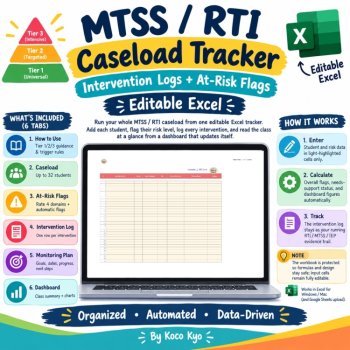
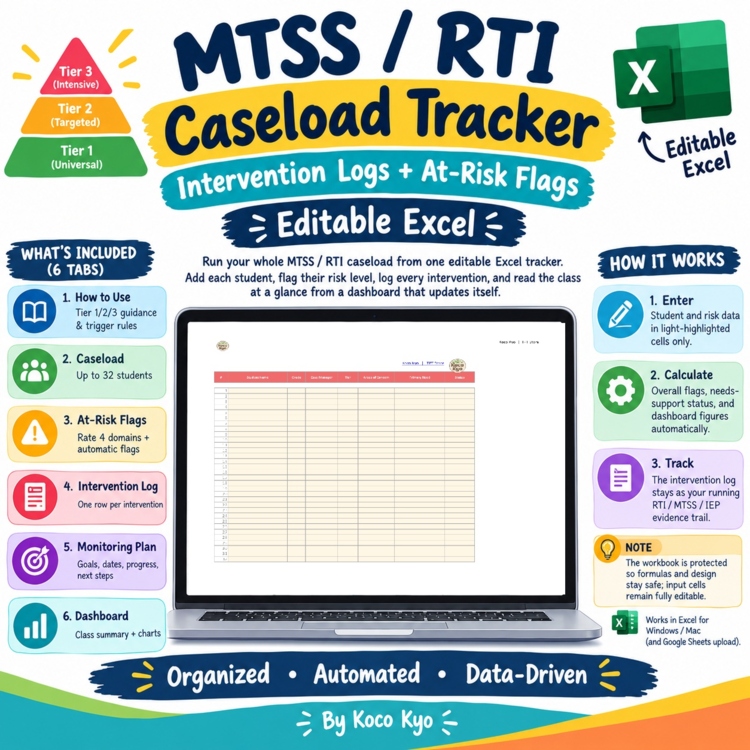
Run your whole MTSS / RTI caseload from one editable Excel + Google Sheets tracker. Add each student, flag their risk level, log every intervention, and read the class at a glance from a dashboard that updates itself. Prefer Sheets? Make a free copy of the Google Sheets version with one click
WHAT'S INCLUDED (6 tabs)
- How to Use guide with Tier 1/2/3 guidance and trigger rules
- Caseload: up to 32 students with tier, areas of concern, primary need, and status
- At-Risk Flags: rate Reading, Math, Behavior, and Attendance as Low / Some / High; the Overall Flag (High Concern / Monitor / On Track) and Needs Support columns calculate automatically
- Intervention Log: one row per intervention with area, strategy, tier, frequency, minutes, fidelity, progress notes, and outcome
- Monitoring Plan: goal, start/review dates, progress note, next step, and status per student
- Auto-updating Dashboard: caseload size, tier distribution (with pie chart), flagged students, risk levels by domain, and % flagged
HOW IT WORKS
- Enter student and risk data only in the light-highlighted input cells.
- Overall flags, needs-support status, and every dashboard figure calculate automatically.
- The intervention log stays as your running RTI / MTSS / IEP evidence trail.
NOTE
- The workbook is protected so formulas and design stay safe; input cells remain fully editable. Works in Excel for Windows / Mac (and Google Sheets upload).
TERMS OF USE
- For single classroom / individual teacher use only. Not for resale or public reposting.
Report this resource to Linked Through Learning
Reported resources will be reviewed by our team. Report this resource to let us know if this resource breaks our rules.
No questions yet.

Meet the Seller
Learn. Play. Create. Educational Games, Interactive Activities & Teacher Trackers
Koco Kyo creates engaging educational games, interactive digital activities, printable worksheets, and practical classroom trackers that make learning more engaging and help teachers organize student progress. Explore phonics and literacy games, math activities, skill-building resources, and easy-to-use Excel and Google Sheets trackers designed for classroom practice, learning centers, intervention, and independent learning. From playful games to practical teaching tools, Koco Kyo helps teachers bring learning to life.
DZ
$24.50 $33.50 (69)