Knights In Armor Coloring Bookmarks Cards Cute Dragon Castle, Calm Craft Rewards

$2.35 (1)

Reading Comprehension Progress Tracker K–2 | Excel + Google Sheets + PDF
Track what K–2 readers understand after reading and monitor comprehension growth over time.
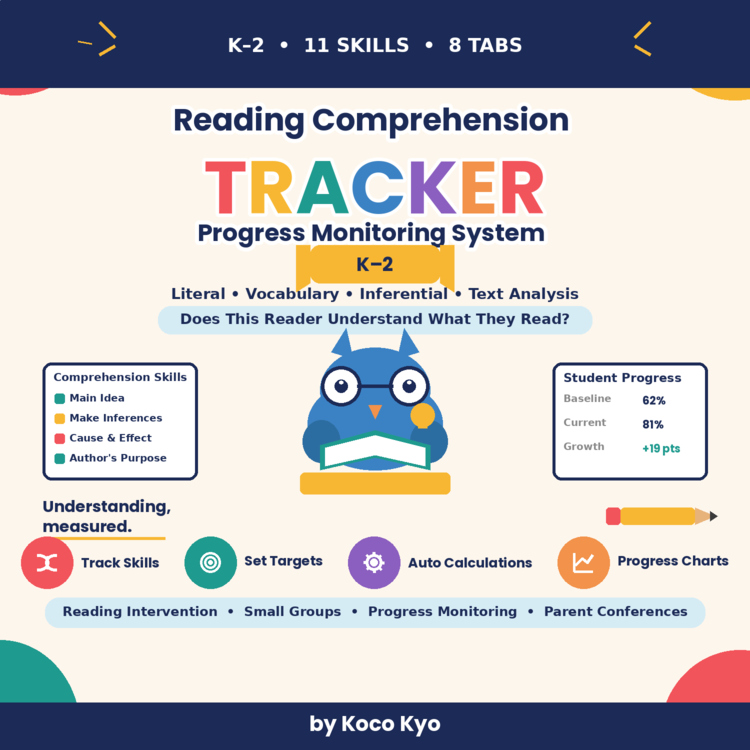
11 skills, 4 categories, 8-tab tracker + printable progress report.
One question, answered clearly: does this reader understand what they read, and is that understanding improving?
Reading fluency measures how a student reads. Comprehension focuses on what the student understands from the text. This tracker gives teachers an organized way to record comprehension checks, monitor individual skills, and review progress over time.
Use it for reading instruction, small groups, literacy centers, reading intervention, comprehension practice, or ongoing progress monitoring.
📚 TRACK 11 COMPREHENSION SKILLS
The Comprehension Skills tab includes 11 skills organized into four instructional categories.
Literal Comprehension
Recall Details
Identify Main Idea
Sequence Events
Vocabulary & Meaning
Word Meaning
Context Clues
Inferential Comprehension
Make Inferences
Cause & Effect
Predict
Text Analysis
Compare & Contrast
Author's Purpose
Text Evidence
Record each skill using:
Not Assessed → Beginning → Developing → Mastered
The tracker automatically summarizes:
Skills Assessed
Skills Mastered
Mastery %
Skills Needing Practice
📊 8-TAB PROGRESS MONITORING SYSTEM
1. Start Here
Quick-start instructions covering:
How to enter student information
Comprehension skill definitions
How to record assessments
How calculations work
How this tracker differs from a reading fluency tracker
2. Student Roster
Track up to 50 students.
Includes:
Student Name
Grade
Teacher
Group
Start Date
Notes
3. Comprehension Skills
The 11 pre-loaded skills are organized into four categories:
Literal: Recall Details, Identify Main Idea, Sequence Events
Vocabulary & Meaning: Word Meaning, Context Clues
Inferential: Make Inferences, Cause & Effect, Predict
Text Analysis: Compare & Contrast, Author's Purpose, Text Evidence
Use the status dropdown to record:
Not Assessed • Beginning • Developing • Mastered
4. Comprehension Assessment
Record each comprehension check with:
Date
Student
Passage / Text
Grade / Level
Questions
Correct
Total Questions
Comprehension Skill
Notes
The tracker automatically calculates:
Assessment Accuracy %
Correct ÷ Total Questions
You can also monitor:
Baseline
Current Performance
Growth
Target %
Status
Conditional highlighting can flag lower scores using a teacher-set threshold.
5. Student Progress
Select a student to see an individual comprehension summary.
Includes:
Number of Assessments
Baseline %
Current %
Growth
Average Comprehension %
Latest Score
Skills Mastered
Skills Needing Practice
Includes an automatic:
Comprehension % Over Assessments
progress chart.
6. Class Overview
Review classroom comprehension data at a glance.
The dashboard includes:
Students Tracked
Total Assessments
Average Comprehension %
Average Growth
Students Showing Growth
Students Meeting Goal
Students Needing Support
The Skill Overview also shows assessment activity and average performance by comprehension skill.
This can help you identify skills that may need additional whole-class or small-group instruction.
7. Progress Monitoring
Review each student's progress in one place:
Student Baseline Current Growth Target Status
Set a teacher-entered Target %.
Automatic status options:
Met Target • Improving • Needs Support
This gives you a quick student-by-student view without manually calculating growth.
8. Printable Progress Report
Select a student and generate a clean, one-page report.
Includes:
Baseline
Current Performance
Change / Growth
Average Comprehension %
Skills Mastered
Skills Needing Practice
Strengths
Next Steps
Teacher Notes
Use it for:
Teacher records
Parent conferences
Progress reviews
Reading intervention meetings
Instructional planning
📈 MONITOR COMPREHENSION GROWTH
The tracker makes student growth easier to see over multiple assessment checks.
For example:
Baseline: 62%
Current: 81%
Growth: +19 percentage points
The student dashboard and progress-monitoring areas make it easier to review performance over time.
🧠 COMPREHENSION VS. FLUENCY
Fluency and comprehension provide different information.
A student may read a passage smoothly but still have difficulty explaining its meaning. Another student may understand the text while reading more slowly.
That's why this tracker focuses specifically on understanding what was read.
For a more complete reading picture, pair it with your Reading Fluency Progress Tracker K–2.
💻 THREE FORMATS INCLUDED Excel Workbook
Editable .xlsx workbook with:
8 organized tabs
50-student capacity
200+ assessment records
11 comprehension skills
Dropdown menus
Automatic calculations
Student progress chart
Class dashboard
Printable report
Google Sheets Version
Use the tracker in your browser for convenient digital data entry.
Includes:
8 organized tabs
Editable student data
Automatic calculations
Student progress chart
Class overview
Printable report
Tip: Make your own copy of the Google Sheets file before entering student information.
Printable PDF
Includes a one-page student comprehension progress report for printing and record keeping.
👩🏫 GREAT FOR
Kindergarten
1st Grade
2nd Grade
Reading comprehension
Literacy instruction
Reading intervention
Small-group reading
Comprehension practice
Progress monitoring
Reading assessment
Student data tracking
Parent conferences
⭐ BUILT FOR SIMPLE READING DATA COLLECTION
Keep your comprehension data organized in one system:
Assess → Record → Monitor → Review → Plan
Dropdowns and automatic calculations reduce repetitive data entry while the student and class dashboards make progress easier to review.
IMPORTANT NOTE
This is a teacher-created reading comprehension progress-monitoring tool. It is not a standardized, diagnostic, or norm-referenced assessment and does not replace school or district assessment procedures.
Target percentages are teacher-entered and should reflect the instructional goals or assessment system used by the teacher or school.
📦 WHAT YOU RECEIVE
✔ Excel Workbook
✔ Google Sheets Version
✔ Printable PDF Report
✔ 8 organized tracking tabs
✔ 11 comprehension skills
✔ 4 skill categories
✔ 50-student capacity
✔ 200+ assessment records
✔ Automatic calculations
✔ Automatic growth tracking
✔ Student progress chart
✔ Class overview dashboard
✔ Printable student report
License: Single classroom use.
Report this resource to Linked Through Learning
Reported resources will be reviewed by our team. Report this resource to let us know if this resource breaks our rules.
No questions yet.

Meet the Seller
Learn. Play. Create. Educational Games, Interactive Activities & Teacher Trackers
Koco Kyo creates engaging educational games, interactive digital activities, printable worksheets, and practical classroom trackers that make learning more engaging and help teachers organize student progress. Explore phonics and literacy games, math activities, skill-building resources, and easy-to-use Excel and Google Sheets trackers designed for classroom practice, learning centers, intervention, and independent learning. From playful games to practical teaching tools, Koco Kyo helps teachers bring learning to life.
DZ