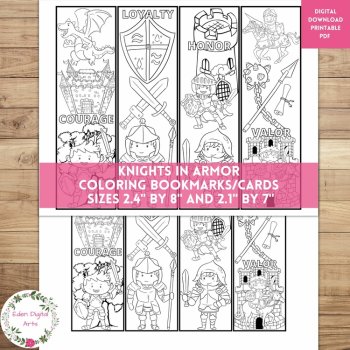
Knights In Armor Coloring Bookmarks Cards Cute Dragon Castle, Calm Craft Rewards

$2.35 (1)

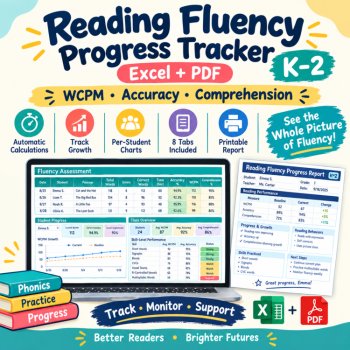
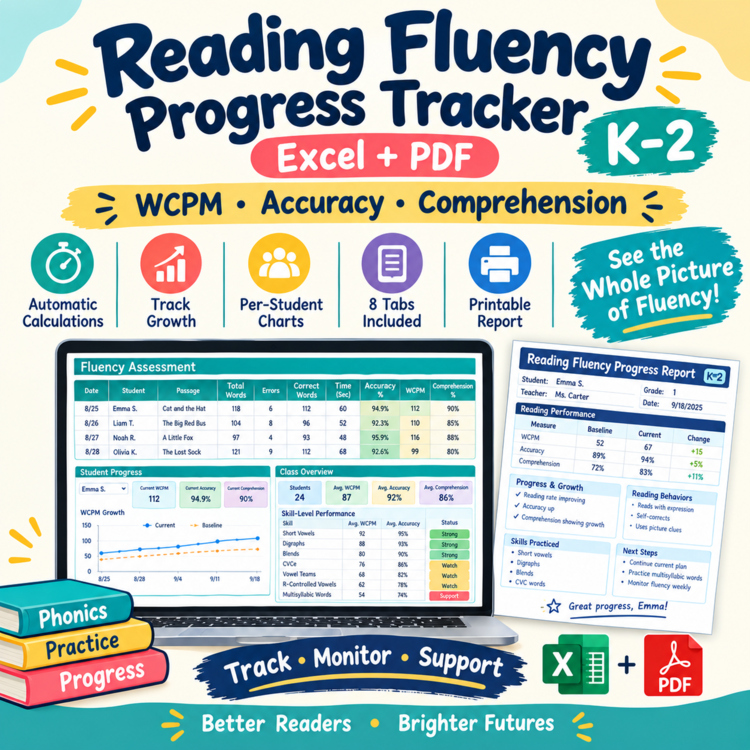
Track WCPM, accuracy, comprehension, and reading growth for K–2 students.
This teacher-friendly reading fluency tracker gives you a simple way to record timed reading assessments, monitor progress over time, and review individual and class-level data.
Use it with decodable passages, fluency practice, small-group instruction, reading intervention, or ongoing progress monitoring.
📖 WHAT THIS TRACKER HELPS YOU MONITOR
Keep key reading measures organized in one place:
Words Correct Per Minute (WCPM)
Reading Accuracy
Comprehension
Baseline Performance
Current Performance
Growth Over Time
Teacher-Set WCPM Targets
Reading Behaviors & Instructional Notes
WCPM, accuracy, and comprehension are kept as separate measures so you can see which areas are improving and which may need additional instructional attention.
📊 8-TAB PROGRESS MONITORING SYSTEM
1. Start Here
Get quick instructions for setting up and using the tracker.
Includes:
How to enter student data
How WCPM is calculated
How accuracy is calculated
How growth is calculated
How to use the student and class dashboards
2. Student Roster
Organize up to 50 students.
Track:
Student Name
Grade
Teacher
Reading Group
Start Date
Notes
3. Passage Library
Keep your fluency passages organized in one place.
Track:
Passage Name
Word Count
Level
Skill / Pattern
Notes
Includes 8 sample fluency passages covering phonics patterns such as:
Short Vowels
Digraphs
Blends
CVCe
Vowel Teams
R-Controlled Vowels
Multisyllabic Words
You can also add your own passages.
4. Fluency Assessment
Record each timed reading with:
Date
Student
Passage
Total Words
Errors
Correct Words
Time in Seconds
Comprehension Score
The tracker automatically calculates:
Accuracy %
Correct Words ÷ Total Words
WCPM
Correct Words × 60 ÷ Seconds
Record 100+ reading assessments without rebuilding your spreadsheet.
5. Student Progress
Select a student from the dropdown to view an individual progress summary.
See:
Baseline WCPM
Current WCPM
WCPM Growth
Baseline Accuracy
Current Accuracy
Accuracy Growth
Number of Assessments
Latest Assessment
Includes automatic visual progress charts for:
WCPM over time
and
Accuracy over time
6. Class Overview
See your classroom reading data at a glance.
The dashboard summarizes:
Students Tracked
Total Assessments
Average Current WCPM
Average Accuracy
Students Showing Growth
Average WCPM Growth
Average Accuracy Growth
A skill/pattern overview can also help you identify patterns across your reading data.
7. Progress Monitoring
Review student growth in one organized table.
Track:
Student
Baseline WCPM
Current WCPM
WCPM Growth
Target WCPM
Status
Status options:
Met Target • Improving • Needs Support
The Target WCPM is teacher-entered so you can use the goals appropriate for your own instructional and assessment system.
8. Printable Fluency Report
Select a student and generate a clean, one-page progress summary.
Includes:
Baseline Performance
Current Performance
Change/Growth
WCPM
Accuracy
Comprehension
Reading Behaviors
Instructional Notes
Next Steps
Use it for:
Teacher records
Parent conferences
Progress reviews
Reading intervention meetings
Instructional planning
📈 AUTOMATIC GROWTH CALCULATIONS
The tracker makes it easy to see change over time.
Example:
WCPM
52 → 67
Growth: +15 WCPM
Accuracy
94% → 98%
Growth: +4 percentage points
Growth is automatically displayed throughout the workbook, including the Student Progress, Class Overview, Progress Monitoring, and printable report.
💻 THREE FORMATS INCLUDED Excel Workbook
Editable .xlsx file
Includes:
8 organized tabs
Automatic calculations
Dropdown menus
Progress charts
Class dashboard
Printable report
Google Sheets Version
Use the tracker in your browser without requiring desktop Excel.
Includes:
8 organized tabs
Editable student data
Automatic calculations
Progress charts
Class overview
Printable report
Tip: Make a copy of the Google Sheets file before entering your student data so you have your own editable version.
Printable PDF
Includes a one-page student fluency progress report for easy printing and record keeping.
👩🏫 GREAT FOR
Kindergarten
1st Grade
2nd Grade
Reading fluency
Decodable reading
Phonics instruction
Small-group reading
Reading intervention
Progress monitoring
Literacy instruction
Student data tracking
Parent conferences
⭐ WHY TEACHERS MAY FIND IT USEFUL
Instead of keeping separate reading scores in multiple places, organize your data around a simple process:
Assess → Record → Calculate → Monitor → Review Growth
The workbook handles the calculations so you can spend less time managing numbers and more time using the information for instruction.
IMPORTANT NOTE
This is a teacher-created reading fluency progress-monitoring tool. It is not a standardized, diagnostic, or norm-referenced assessment and does not replace school or district assessment procedures.
Target WCPM values are teacher-entered. The tracker does not assign standardized grade-level fluency benchmarks.
📦 WHAT YOU RECEIVE
✔ Excel Workbook
✔ Google Sheets Version
✔ Printable PDF Report
✔ 8 organized tracking tabs
✔ 50-student capacity
✔ 100+ assessment rows
✔ Automatic WCPM calculations
✔ Automatic accuracy calculations
✔ Automatic growth calculations
✔ Student progress charts
✔ Class overview dashboard
✔ Printable student report
License: Single classroom use.
Report this resource to Linked Through Learning
Reported resources will be reviewed by our team. Report this resource to let us know if this resource breaks our rules.
No questions yet.

Meet the Seller
Learn. Play. Create. Educational Games, Interactive Activities & Teacher Trackers
Koco Kyo creates engaging educational games, interactive digital activities, printable worksheets, and practical classroom trackers that make learning more engaging and help teachers organize student progress. Explore phonics and literacy games, math activities, skill-building resources, and easy-to-use Excel and Google Sheets trackers designed for classroom practice, learning centers, intervention, and independent learning. From playful games to practical teaching tools, Koco Kyo helps teachers bring learning to life.
DZ