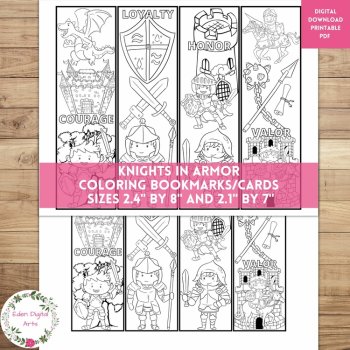
Knights In Armor Coloring Bookmarks Cards Cute Dragon Castle, Calm Craft Rewards

$2.35 (1)

Turn reading assessment data into an actionable intervention plan.
When a student needs additional reading support, five questions matter:
What is the need? What is the goal? What intervention will be provided? Is the student making progress? What should we review next?
The Reading Intervention & Goal Tracker K–2 brings those steps together in one organized system.
Use it to identify reading needs, create intervention plans, establish measurable goals, record progress-monitoring results, review student growth, and generate a printable intervention report.
Identify the Whole-Reading Need
The Student Needs Profile organizes six reading areas:
Use the four-level scale:
Not Assessed → Beginning → Developing → Mastered
The tracker automatically summarizes:
The Areas Needing Support summary identifies reading areas currently marked Beginning or Developing, helping you quickly see where additional instruction or progress monitoring may be appropriate.
This gives you a whole-reading snapshot before creating an intervention plan.
Create an Intervention Plan
On the Intervention Plan tab, create one row for each intervention.
Record:
Choose from:
1:1 • Small Group • Whole Class • Other
Keep the student's need, target skill, goal, instructional plan, and review date together in one place.
Monitor Progress
On the Progress Monitoring tab, record each assessment or progress check.
Enter:
The tracker automatically calculates:
Current % shows the student's latest recorded performance, while Average % provides an additional view across recorded checks.
Review Individual Student Progress
The Student Progress tab provides an individual student view.
Select a student to see:
An automatic Baseline → Current → Goal chart provides a quick visual of progress.
Monitor Your Intervention Caseload
The Intervention Dashboard provides a classroom-level overview.
See:
The Intervention Area Overview shows activity across:
Phonemic Awareness • Phonics • Sight Words • Fluency • Vocabulary • Comprehension
You can also review a student-by-student monitoring table and a Students Needing Review list showing:
Student | Area | Skill | Current | Goal | Gap | Status
This helps you quickly identify individual reading areas that may need closer review.
Generate a Printable Intervention Report
The Student Intervention Report creates a clean one-page summary for a selected student.
Reading Need
Progress
Intervention
Also includes space for:
Print the report for parent conferences, intervention meetings, RTI/MTSS documentation, or teacher records.
What's Included: 8 Tabs 1. Start Here
Quick-start instructions, workflow, status scale, and calculation guide.
2. Student Roster
Up to 50 students with Grade, Teacher, Group, Start Date, and Notes.
3. Student Needs Profile
Six reading areas with automatic summaries of assessed, mastered, and support-needed areas.
4. Intervention Plan
Create and organize individual reading intervention plans.
5. Progress Monitoring
Record 200+ assessment checks with automatic percentages, baseline, current performance, growth, gap to goal, average, and status.
6. Student Progress
Individual student dashboard with intervention summaries and automatic progress chart.
7. Intervention Dashboard
Classroom intervention overview, reading-area summary, student monitoring, and review list.
8. Student Intervention Report
One-page printable intervention summary for a selected student.
Built for Flexible Teacher Use
✔ 50 students
✔ 200+ progress-monitoring records
✔ 6 reading areas
✔ Dropdown menus for students, grades, groups, reading areas, group types, and frequency
✔ Automatic calculations
✔ Automatic student progress chart
✔ Intervention dashboard
✔ Printable student report
✔ Fully editable
✔ No password or protected cells
✔ Add, remove, relabel, or customize sections as needed
✔ Excel + Google Sheets compatible
Why Current % and Average % Are Both Included
Current % shows the student's latest recorded performance.
Average % provides a broader view across recorded checks.
Together, they let teachers review both where the student is now and how performance has looked across the intervention period.
How This Differs From the Phonics Intervention Progress Tracker
The Phonics Intervention Progress Tracker focuses specifically on phonics intervention and individual phonics skills.
The Reading Intervention & Goal Tracker K–2 begins with a broader reading
profile across:
Phonemic Awareness → Phonics → Sight Words → Fluency → Vocabulary → Comprehension
It then connects the identified area to a target skill, intervention plan, measurable goal, progress monitoring, and student report.
Note:
This is a teacher-created reading intervention progress-monitoring tool. It is not a standardized, diagnostic, or norm-referenced assessment and does not replace school or district assessment procedures.
What This Tracker Is Not
This is not an attendance tracker, behavior tracker, math tracker, homework tracker, classroom-management system, or general reading-fluency tracker.
Its purpose is focused:
Identify reading needs → Set an intervention goal → Record intervention → Monitor progress → Review the data.
Files Included
✔ Reading-Intervention-Goal-Tracker.xlsx
✔ 8-tab Excel workbook
✔ Standalone printable intervention report PDF
✔ Reading-Intervention-Goal-Tracker-PRINTABLE.pdf
✔ Google Sheets version/access
License: Single classroom use. See the preview for the complete workbook structure.
Report this resource to Linked Through Learning
Reported resources will be reviewed by our team. Report this resource to let us know if this resource breaks our rules.
No questions yet.

Meet the Seller
Learn. Play. Create. Educational Games, Interactive Activities & Teacher Trackers
Koco Kyo creates engaging educational games, interactive digital activities, printable worksheets, and practical classroom trackers that make learning more engaging and help teachers organize student progress. Explore phonics and literacy games, math activities, skill-building resources, and easy-to-use Excel and Google Sheets trackers designed for classroom practice, learning centers, intervention, and independent learning. From playful games to practical teaching tools, Koco Kyo helps teachers bring learning to life.
DZ