
Description
Conflict Styles Digital Pixel Art Activity
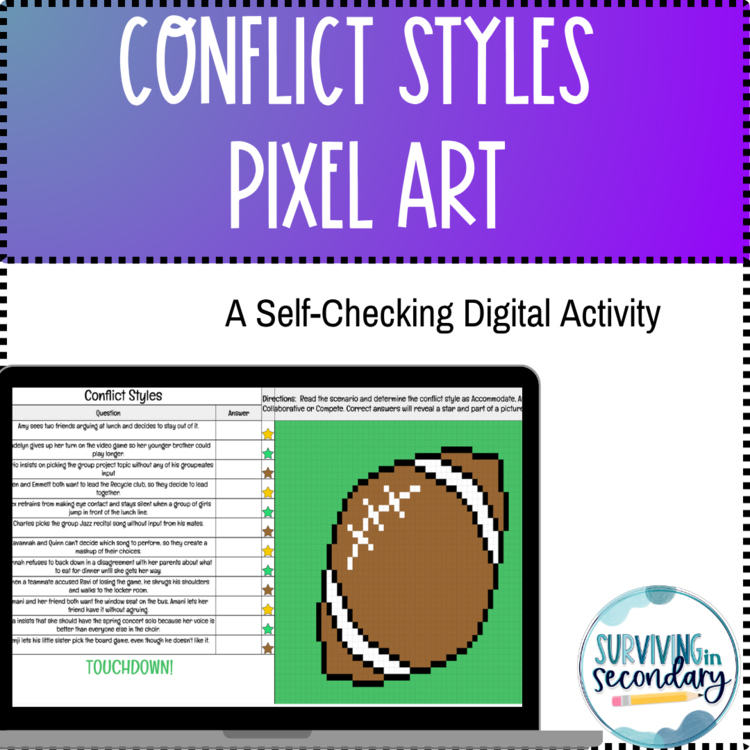
Looking for an engaging, self-checking google sheets activity to challenge your Health or SEL students? Seeking unique and gamified independent practice with timely and immediate feedback automatically? This digital resources is the answer to your questions! This pixel art activity provides immediate feedback to students as correct answers reveal a start and unlock the pixel art mystery image. Each question is a real-life scenario where students need to identify which conflict style is present: accommodate, compete, avoid and collaborate.
What’s Included?
- Digital Worksheet: Students answer 12 questions that automatically fill in the pixel art as they progress.
- Self-Checking Feature: The pixel art only appears when students answer correctly, allowing them to identify and correct mistakes independently.
- Clear Instructions: Easy-to-follow directions for both teachers and students.
Why Teachers Love It:
- Time-Saving: With self-checking functionality, you’ll spend less time grading and more time teaching.
- Easy Differentiation: Perfect for a variety of skill levels, making it great for individual practice, centers, or early finishers.
- Versatile: Ideal for in-class activities, homework, or review before assessments.
Why Students Love It:
- Interactive Learning: Watching the colorful pixel art emerge keeps them focused and excited to complete the task.
- Immediate Feedback: They can see their progress in real time, building confidence and understanding.
- Gamified Fun: Solving problems feels like unlocking a puzzle!
This activity combines academic rigor with the creativity of pixel art to keep students engaged and motivated. This is perfect for classwork practice, homework review, Flex day/virtual day closure activities, sub plans and more!
Add this to your teaching toolbox today and watch your students succeed with a smile!
To access the resource, you must download the PDF, then click the link within to make a copy! This is a Google Sheets activity and requires access to Google Suite for staff and students
Stay in Touch!
Let us know how it goes in your classroom and leave a review. Remember that TPT gives you credit for future TPT purchases when you leave a review!
Follow our store by clicking here to get notified of new resource postings!
Report this resource to Linked Through Learning
Reported resources will be reviewed by our team. Report this resource to let us know if this resource breaks our rules.
Questions & Answers
Sign in to ask a questionNo questions yet.

Meet the Seller
Helping middle and high school teachers thrive, not just survive.
We are two educators with a combined total of over 20 years of middle and high school teaching experience. We have a passion for quality materials and research-based interventions. We create resources that help strike the balance between screen time and person-to-person connections, all while engaging students at varied levels and saving you prep time! We have experience in all core content areas, as well as special education. Our goal is to help other secondary educators survive and thrive in their classroom with engaging, easy-to-use resources your students will be sure to love!
Pennsylvania
- 4.80Store rating after 414 reviews
- 0Followers