Science Posters- The Periodic Table-Brown Corduroy Design

$5.00 (1)

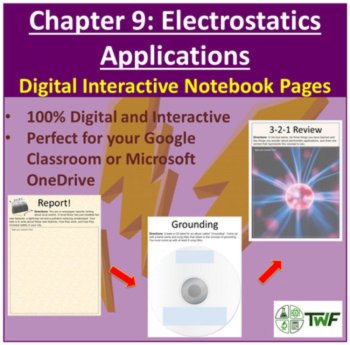
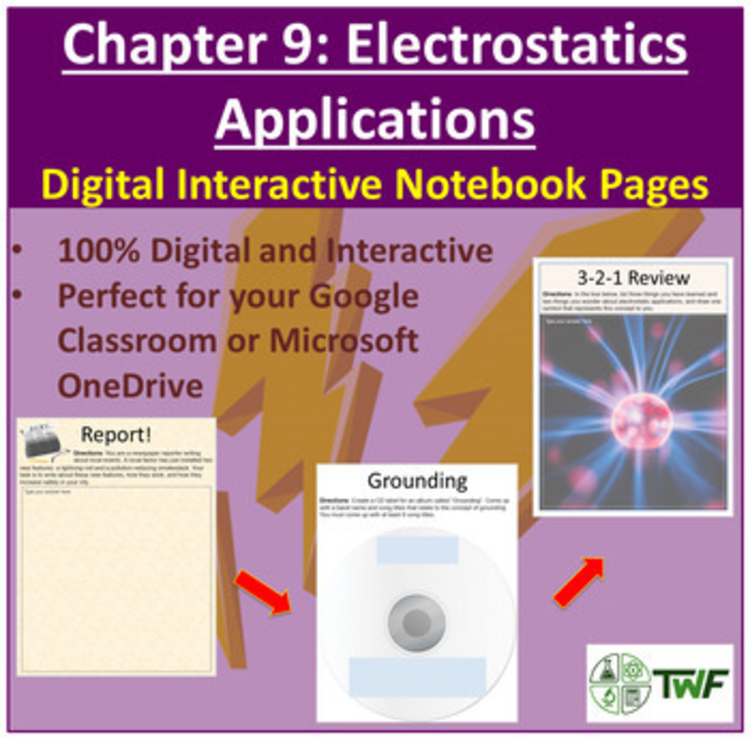
Middle School and High School Digital Interactive Notebook Pages - Electrostatics Applications. Designed specifically for the 1:1 classroom utilizing any kind of digital device such as Chromebooks, Cellphones, or Tablets.
Engage your students and utilize technology to bring science to life for your students. This package of interactive notebook pages contains 3 interactive activities plus an extension activity.
**Included in your purchase is complimentary access to my PowerPoint Lesson --> Static Electricity Applications - Electricity PowerPoint Lesson & Student Notes. Together, the lesson and notebook pages provide comprehensive instruction on the topic. Once you've made your purchase, you will receive instructions to retrieve your lesson**
Your notebook pages include the following activities
- Report
- Grounding CD Label
- 3-2-1 Review
- Extension Activity
*************I feel that the most effective way to see what you’ll receive is to actually access it, play with it, and that way, you’ll know if it’s right for your classroom. To do that, I’ve created a sample notebook you can access by CLICKING HERE
You can also watch me complete one of my Digital INB (in accelerated time) by CLICKING HERE *************
Each page was created to look and feel like a traditional notebook but was designed to take advantage of everything that digital brings.
This resource is included at a significant discount inside my Electricity Digital Interactive Notebook Bundle. The bundle includes all 9 of my electricity digital interactive notebooks. CLICK HERE to have a look
Included in the Electricity Digital Interactive Bundle are the following Chapters
• Chapter 1 - Electricity and Current
• Chapter 2 - Solving Circuit Diagrams
• Chapter 3 - Power, Electrical Energy, and Efficiency
• Chapter 4 - Resistance
• Chapter 5 - Safety
• Chapter 6 - Electricity Production
• Chapter 7 - Electrostatics
• Chapter 8 - Charging by Friction, Contact, and Induction
• Chapter 9 - Electrostatics Applications
Digital Interactive Notebook for Google and OneDrive cloud services. If you don’t currently have a Google account, you can sign up for one completely free and get started in 5 minutes. If you’re a OneDrive user, no problem. Simply download the notebook as a PowerPoint file to your computer then upload it to your OneDrive account. The majority of the items in this resource are fully editable. In addition, slides can be added or removed easily to suit your classroom needs.
THEN: Before computers, we used interactive notebooks to engage our students and keep their notebooks organized and accessible. This, however, required a lot of material and the unwelcome task of lugging them all home with you to mark. But we used them because they were effective and allowed us to effectively assess our students' understanding.
NOW: Why use digital interactive notebooks? As prices decrease, many schools are moving towards a 1:1, computer-student ratio and are becoming digital. The way we teach needs to keep up. You don't even need a class set of computers; a personal device (cell phone, laptop, tablet, etc.) will work just as well.
Digital interactive notebooks provide all the same means of organization and assessment but without the physical notebook. This…
1) Saves you from bringing them back and forth/storing them in your class.
2) Purchasing all the necessary supplies.
3) Having them get lost, misplace pages, etc.
Once you purchase, you’ll get a direct link. This link will allow you to place your own copy of the digital notebook into your Google Drive folder. From there, simply distribute the file to your students. No notebooks, no glue, no scissors, not even a USB in site. Everything is stored and can be accessed in the cloud from any computer in the world. If your students go on holiday, they can access it. If they’re sick, they can access it.
Additionally, I have the following Digital INB Bundles available in My Store
What activities will you find inside my Digital Interactive Notebooks?
• Interactive drag-and-drop activities
• Embedded videos that play inside the slides along with questions
• Calculation questions
• Audio recorders - students record and upload their own auditory answers to questions
• Fill-in-the-blanks
• Drawings - students create their own drawings and then easily upload them to their slides using their device or computer
• Research questions
• Extension questions for early finishers, those wanting extra credit, or incorporated into the mainstream assignment
• Vocabulary check on the entire unit
• Lots more
Click here to get immediate access to a sample file so you can see exactly what’s being offered → http://bit.ly/TWF-DINB
What if my school won’t pay for Google products or access to Google Classroom? No problem. G-Suite, as it’s called, is completely free and includes everything you’ll need to access your digital notebooks.
What if your students don’t have internet access for some reason? These notebooks can easily be made available offline for access anywhere.
Left-side/Right-side. Is there a place for students to include their own notes? Yes! That’s the beauty of going digital. You don’t need a left and right side. When you or your students want some more room, just add a slide and go to town.
Worried about plagiarism? I use turnitin.com to ensure my students are submitting their own work. However, I attempt to make these as interactive and individual as possible, which all but eliminates cheating.
Do you feel that your students will miss out on the hands-on experience they receive from traditional interactive notebooks? In today’s world, I don’t think that’s a concern. Your students are and need to be well-versed in the world of technology and how to manipulate it to suit their needs. This resource will help.
For free resources, useful teaching tips, and tools, please visit my blog - TeachScienceWithFergy.com
If you have any questions, please send me an email - devon@teachwithfergy.com
Report this resource to Linked Through Learning
Reported resources will be reviewed by our team. Report this resource to let us know if this resource breaks our rules.
No questions yet.

Meet the Seller
Middle and High School Science Engaging Resources
I have been selling resources to middle and high school teachers for the last 15 years. During that time I've also been in the classroom so I know what works and what will help your students the most.
Canada
$22.50 $34.75 (318)
$22.50 $33.50 (190)