
Description
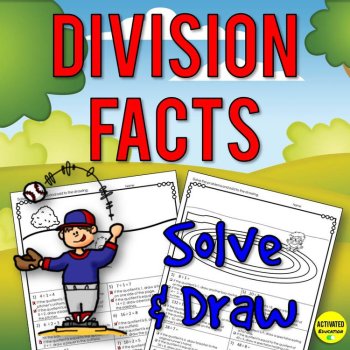
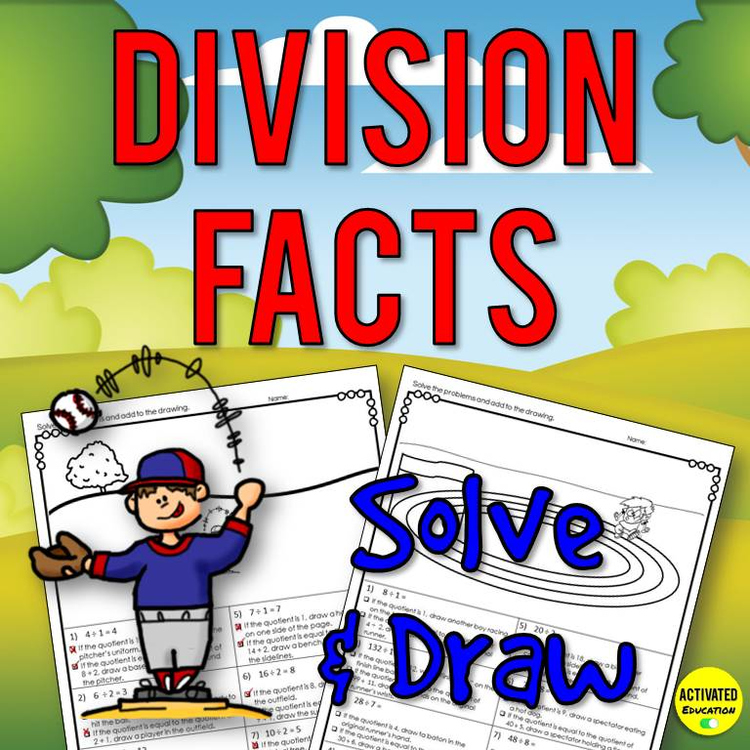
Division Fact Solve and Draw printables are an easy, no-prep way to make review work or practice more engaging. Perfect for an authentic, flexible back-to-school review activity. These are also designed to provide practice of reading math directions. Put a new spin on color-by-numbers, glyphs, and mystery picture drawings and channel your students' love for doodling and drawing.
How Solve & Draw Printables Work
Students solve the division fact problems and add to the drawing based on their answers. The first drawing prompt is the quotient while the second drawing prompt asks students to compare the quotient to the quotient of another division problem and determine if they are equal. Drawing is no-prep because it can be done with the student’s normal writing utensil (pen or pencil). You may choose to allow colored pencils, crayons, or markers but they are not required. This works well as a homework option for families who may not have those supplies to offer.
Drawing prompts require a student to use multiple skills:
Basic math vocabulary: quotient
Comparing quotients
Reading carefully
Included: 10 division fact drawing pages, plus Challenge page and answer keys for each page.
Four Fact Review pages are included – the last one is more difficult because it asks students to compare quotients using less than, more than, or equal to. In addition, this page has some problems with both drawing prompts being correct while some have one or none. This requires students to consider each prompt and not rely on having one correct response per question.
An optional challenge page is included that can be copied on the back of the worksheet – this gives students an extension opportunity by asking them to create a math equation that fits one of the incorrect drawing prompts or to create a math equation and their own drawing prompts.
See the preview for a better look!
• See all my Math resources by clicking here!
How to get TPT credit to use on future purchases:
• Please go to your My Purchases page (you may need to login). Beside each purchase you'll see a Provide Feedback button. Simply click it and you will be taken to a page where you can give a quick rating and leave a short comment for the product. I value your feedback greatly as it helps me determine which products are most valuable for your classroom so I can create more for you.
Be the first to know about my new discounts, freebies and product launches:
• Look for the green star near the top of any page within my store and click it to become a follower. You will then receive customized email updates about this store.
Report this resource to Linked Through Learning
Reported resources will be reviewed by our team. Report this resource to let us know if this resource breaks our rules.
Reviews
No reviews match. Try other filters.
Questions & Answers
Sign in to ask a questionNo questions yet.
Meet the Seller
Turn Learning On!
Engaging math and reading resources for all learners
Washington
- 4.93Store rating after 5.1K reviews
- 0Followers
- The biggest honor I can achieve as a teacher is seeing my students succeed.