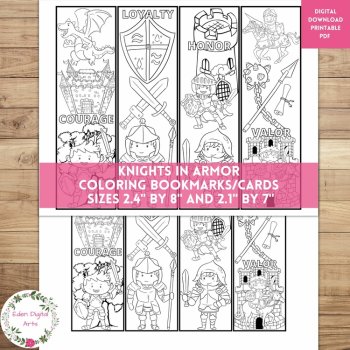
Knights In Armor Coloring Bookmarks Cards Cute Dragon Castle, Calm Craft Rewards

$2.35 (1)

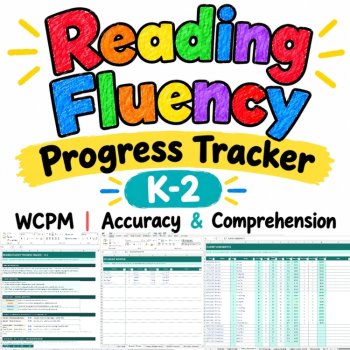
Reading Fluency Progress Tracker K-2 | WCPM, Accuracy & Comprehension | Editable
$3.95 $3.40
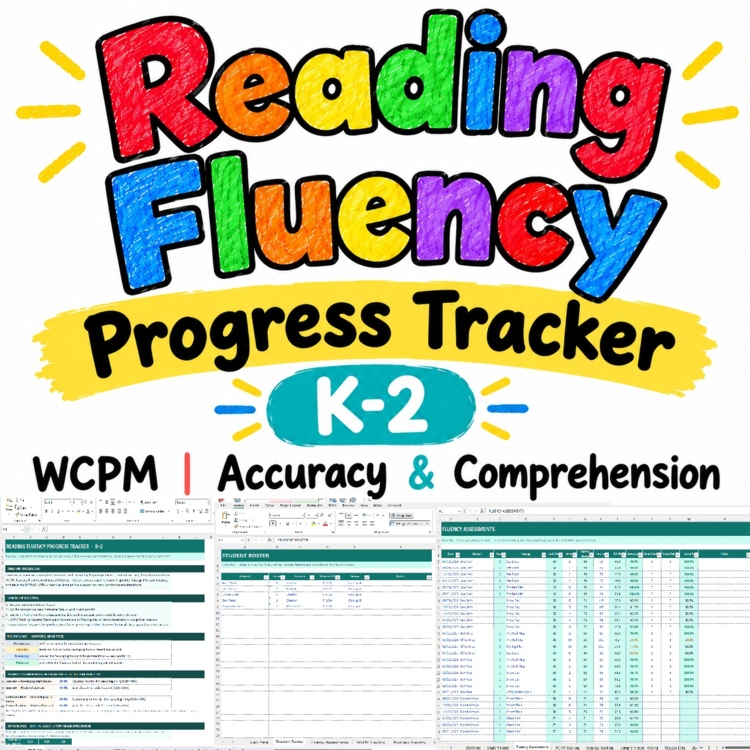
Add to cartTrack reading fluency, accuracy, and comprehension in one place. This editable Excel tracker calculates the numbers for you, so you can spend less time managing spreadsheets and more time understanding your students’ reading progress.
Whether you teach Kindergarten, 1st grade, or 2nd grade, use this tracker to record timed reading assessments, compare each student’s baseline with their latest results, monitor growth, and organize your BOY, MOY, and EOY data.
Enter each reading assessment once. Your WCPM, accuracy percentage, and comprehension percentage calculate automatically, and the connected tracking sheets and dashboards update from your assessment log.
What you can track
Reading fluency (WCPM): Monitor words correct per minute and see how a student’s reading rate changes over time.
Reading accuracy: Track the percentage of words read correctly.
Reading comprehension: Record comprehension responses and monitor the percentage of questions answered correctly.
Student growth: Compare each student’s first dated assessment with their latest result.
Seasonal progress: Organize BOY, MOY, and EOY assessments and compare results with editable grade-specific norms.
Class progress: Review assessment coverage, status distributions, average WCPM by grade, and class trends.
Keep all three measures visible side by side. A student’s reading rate, accuracy, and comprehension each tell you something different, so you can review them separately rather than combining them into one score.
What’s included
The workbook includes 14 tabs, organized around one central assessment log.
1. Assessment and student records
Start Here: Get started with the workbook and review the editable status thresholds and norms.
Student Roster: Organize up to 40 students by name, grade, teacher, student ID, and group.
Fluency Assessments: Record up to 500 assessment entries in one central log. WCPM, accuracy, and comprehension percentages calculate automatically.
Passage Data: Store information for up to 120 passages, including grade level and total word count. Select a saved passage to populate its word total in the assessment log.
2. Individual student progress
WCPM Tracking: Review each selected student’s baseline, latest score, growth, last assessment date, number of checks, and status.
Accuracy Tracking: Monitor reading accuracy separately.
Comprehension Tracking: Review comprehension results separately.
Student Progress: See WCPM, accuracy, and comprehension together, including change since baseline.
3. Class and seasonal reporting
BOY / MOY / EOY: Organize beginning-, middle-, and end-of-year results and compare students with editable norms for Kindergarten, 1st grade, and 2nd grade.
Class Overview: Review roster totals, assessed students, assessment counts, average WCPM, status distribution, and grade-level summaries.
Progress Graphs: View student and class trends through six native Excel charts, including the three-dial Speed Counter dashboard.
Select a student to view three live dashboard dials for WCPM, accuracy, and comprehension. Additional graphs help you review an individual student’s WCPM trend, compare average WCPM by grade, and examine seasonal progress.
4. Printable forms and teacher notes
Printable Fluency Data Sheets: Print blank forms directly from the workbook.
Printable PDF Pack: Four blank, hand-fillable forms for recording timed reads, screening a class, organizing passages, and preparing a small-group snapshot.
Teacher Notes: Record the reasoning behind assessment results, intervention observations, and follow-up actions in up to 100 dated entries.
How the tracker works
Enter the assessment once, then let the workbook calculate the results.
WCPM: Passage words × 60 ÷ reading time in seconds.
Accuracy: Words correct ÷ words read × 100.
Comprehension: Correct answers ÷ questions × 100.
Baseline: The student’s first dated assessment for the selected measure.
Current: The student’s latest dated assessment.
Growth: Current result minus baseline.
BOY / MOY / EOY: Organize the first, middle, and latest checks within the applicable season.
The workbook uses grade-specific WCPM norms, so Kindergarten students are not evaluated against the same fluency expectations as 1st- or 2nd-grade students. You can edit the norms and the accuracy and comprehension thresholds to suit your assessment approach.
Undated entries are excluded from baseline calculations, and blank assessment rows remain blank instead of being treated as zero.
Automatic student status
Use the written status labels to review progress consistently across the tracker.
Not Assessed: No dated assessment is recorded for that measure.
Beginning: The result is below the Developing threshold or applicable norm.
Developing: The result meets the Developing threshold but has not reached the Mastered threshold.
Mastered: The result meets or exceeds the applicable Mastered threshold or norm.
The status thresholds are editable on the Start Here tab. Colors are paired with written labels, so you do not have to rely on color alone.
How this helps you during the school year
Use the tracker to prepare for reading groups, review progress-monitoring data, plan follow-up assessments, and organize information for student support discussions.
Instead of maintaining separate spreadsheets for reading rate, accuracy, and comprehension, you can keep those measures connected in one workbook. The dashboard and graphs make it easier to review a student’s results or prepare a class-level snapshot.
The printable forms are useful when a paraprofessional, tutor, or teacher wants to record an assessment on paper before entering the results into Excel.
Who is this resource for?
This tracker is designed for:
Kindergarten, 1st-grade, and 2nd-grade teachers
Reading interventionists and literacy specialists
Teachers conducting regular fluency checks
RTI/MTSS progress-monitoring teams
Tutors and educators who need organized reading assessment records
Resource details
Resource type: Editable Excel tracker, reading fluency assessment tool, progress-monitoring spreadsheet, and printable data sheets
Grade levels: Kindergarten–Grade 2
Subjects: Reading, literacy, fluency, assessment, and progress monitoring
Workbook: 14 tabs, including one hidden Lists tab
Charts: Six native Excel charts
Assessment capacity: Up to 500 assessment entries
Student roster: Up to 40 students
Passage library: Up to 120 passages
Teacher notes: Up to 100 dated entries
Compatibility: Microsoft Excel, with desktop Excel recommended
Internet access: Works offline
Macros: No VBA macros
Editing: No password or sheet protection
The workbook uses widely supported Excel formulas. It is designed for Microsoft Excel; a Google Sheets edition is not included.
What you will receive
Reading-Fluency-Progress-Tracker-K2.xlsx – Editable Excel tracker
Reading-Fluency-Progress-Tracker-K2-PRINTABLE.pdf – Four blank, hand-fillable forms
Reading-Fluency-Progress-Tracker-K2-PREVIEW.pdf – Filled-in preview, including the Speed Counter dashboard
Reading-Fluency-Progress-Tracker-K2-THANK-YOU-TPT.pdf – Quick-start instructions and calculation guide
Spend less time calculating reading data and more time using it to support your students’ progress.
Report this resource to Linked Through Learning
Reported resources will be reviewed by our team. Report this resource to let us know if this resource breaks our rules.
No questions yet.

Meet the Seller
Learn. Play. Create. Educational Games, Interactive Activities & Teacher Trackers
Koco Kyo creates engaging educational games, interactive digital activities, printable worksheets, and practical classroom trackers that make learning more engaging and help teachers organize student progress. Explore phonics and literacy games, math activities, skill-building resources, and easy-to-use Excel and Google Sheets trackers designed for classroom practice, learning centers, intervention, and independent learning. From playful games to practical teaching tools, Koco Kyo helps teachers bring learning to life.
DZ