Alphabet Clipart Bundle |Beginning Sounds Clipart

$45.50 $89.50 (354)

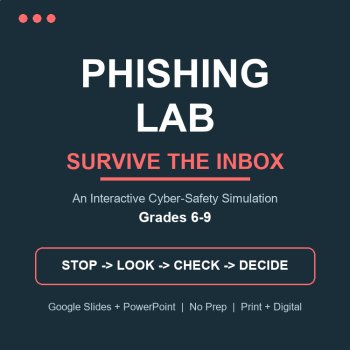
Turn cyber-safety into a game students actually play. Phishing Lab: Survive the Inbox is an interactive web-app simulation: students become "Maya" surviving a week of real-looking emails, texts and DMs. Every choice earns Safety Points or springs a trap, with instant teaching feedback. Live score, auto-save, and a teacher tracking sheet - no AI accounts, no logins, no district IT ticket.
WHY TEACHERS LOVE THIS
Consequences, not lectures - wrong clicks show exactly what happens to victims, then a 4-step recovery drill
Real judgement practice - one message is a LEGITIMATE school email on purpose, so kids learn calibration, not paranoia
Automatic tracking - every student lands in YOUR Google Sheet: score, progress, debrief word count, timestamps, one row per student
Auto-save every 1.5 seconds - a refresh never loses a student's run
3 ranked endings (Cyber Sentinel / Learning Guard / Hacked Week) replayable for a higher rank
WHAT'S INCLUDED
The web app (3 files + a 5-minute copy-paste deploy guide - no coding)
8 realistic scam scenarios: fake delivery, fake Google login, game-currency generator, hacked-friend vote link, prize shipping fee, gift-card "whaling", a legitimate library email, and a stranger DM
Offline print version: 30-slide PowerPoint/PDF choose-your-own-path deck with 43 branching buttons
Student worksheet, answer key, teacher directions with pacing and a print alternative
Ready-to-send district IT access email
THE STUDENT EXPERIENCE
1. Sign in with name, school email, class period and a made-up 4-digit PIN (never a real password)
2. Open Maya's inbox: 8 messages arrive one by one
3. Choose: click, reply, delete or report - the app scores every decision live (max 17)
4. Write a 75-word debrief ("my friend just clicked a scam - what now?") with a live word counter; it will not submit until it is real
5. Get an ending rank + a printable report they can take home
HOW IT WORKS
1) Open a blank Google Sheet. 2) Extensions > Apps Script > paste the 3 included files. 3) Deploy as a web app (2 clicks). 4) Share the link in Google Classroom. Setup time is under 5 minutes, once. Full step-by-step guide included.
BUILT-IN FEATURES
Server-checked debrief length and submission locking
Teacher mode with password verified on the server, live dashboard and CSV export
Paste-blocking on the reflection box (authentic student writing)
Resume where you left off - even after a crash or refresh
Works offline too: the print deck runs the whole simulation on paper with finger-voting
PERFECT FOR
Digital citizenship, computer class, advisory/SEL, health, library media, sub plans, homeschool.
STANDARDS ALIGNED
Common Core: RI.6.1, RI.7.1, RI.8.1, W.7.2, SL.7.1 (see the Standards section). ISTE Student Standard 1.2 Digital Citizen and 2d. Common Sense Digital Citizenship: Internet Safety - Cybersecurity & Scams.
BEFORE YOU BUY - 30-SECOND COMPATIBILITY CHECK
The tracker runs on Google Apps Script, the same technology behind Google Forms. Most schools allow it; a few block it at admin level. Test yours here - if a green card loads, you are good to go. Blocked? Use the included IT email (a 2-minute fix) or the offline print version that needs nothing at all.
phishing email activity, phishing simulation, cyber safety game, digital citizenship interactive, internet safety lesson, social engineering for students, online safety activity grades 6-9, google sheets escape style game, computer class activity, sub plan digital safety, scam recognition worksheet, gift card scam, password safety lessonNEW from this shop: Privacy Lab (Grades 4-6) runs the same simulation engine on posts, quizzes and app permissions - pair the two as one complete internet-safety unit.
Report this resource to Linked Through Learning
Reported resources will be reviewed by our team. Report this resource to let us know if this resource breaks our rules.
No questions yet.

Meet the Seller
Every resource in this store is written, designed and checked by a human - then printed or projected in a real room before it is ever listed. Expect clear layouts, low-ink printing, answer keys, teacher guides and editable files, plus free updates whenever a pack improves. The catalogue will keep growing across subjects and age bands; the promise stays the same: open it and teach. Questions are answered personally.
touggourt, Algeria
$45.50 $89.50 (354)