
Cute Animal Doodles Kindness Coloring Bookmarks Compliment Craft Cards Rewards

$2.35 (6)

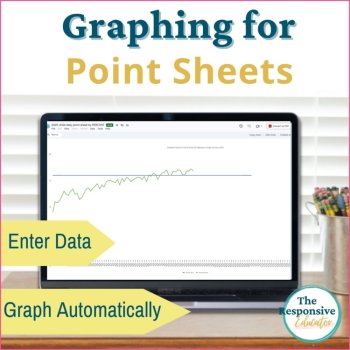
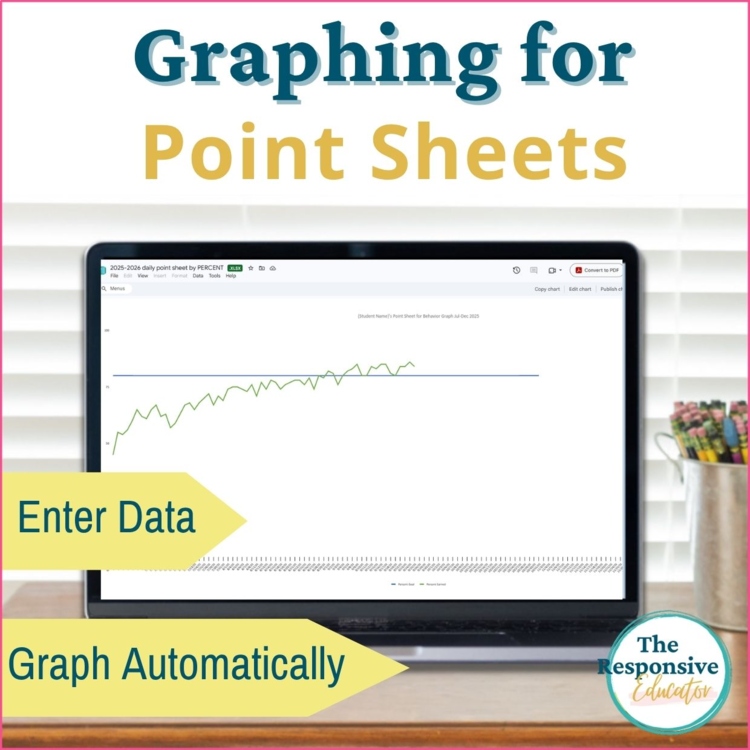
This behavior tracking spreadsheet turns daily point-sheet scores into automatic progress graphs. Use my point sheets or your own, choose the points or percentage version, and enter daily results in Microsoft Excel or Google Sheets. Graph earned scores alone or include a goal line to compare performance over time.
A daily score tells you how one day went. Looking at scores together helps you see improvement, variability, and times when a student may need additional support. These spreadsheets organize those results into graphs you can review with students, families, and your team.
This is a digital graphing tool. Point sheets are sold separately.
Behavior Tracking Spreadsheet for Your Existing Point Sheets
You do not need to replace the point sheet you already use. These templates work with point sheets that provide a daily points total or percentage earned.
Choose between two spreadsheet versions:
You manually enter the daily scores, and the graph updates automatically. The tool does not import or read point sheets for you.
Compare Progress With an Optional Goal Line
Graph daily results on their own or enter a goal to show how earned scores compare with expectations.
The goal line can represent:
Viewing results alongside the goal helps you discuss how consistently the student is meeting it and what support or practice may be needed next.
What’s Included
Use Graphs for Behavior Progress Monitoring
Use the graphs during IEP meetings, parent conferences, and behavior-support discussions to give everyone a shared view of the student’s progress.
Review patterns across days rather than relying on one unusually high or low score. Consider the results alongside classroom observations, the supports provided, and any changes to the scoring system.
If the number of available points changes, raw point totals may not be directly comparable. Percentages can help account for different totals, but consistent expectations and scoring remain important.
Help Students Recognize Their Progress
Graphs can also support conversations with students. Review several days together, notice improvement, and discuss times when meeting the goal was harder.
Connect the conversation to specific strategies: asking for a break, accepting support, or using a practiced skill. Then identify one strategy to keep using or one skill that needs more practice.
The goal is to give students a role in understanding their progress and planning what comes next.
Included Excel Guidance for Phase Lines and Trendlines
The included instructions explain how to add phase lines in Excel to mark changes such as a new intervention, schedule adjustment, or change in support. These markers help your team review results before and after a change.
Phase lines provide context; they do not establish what caused an improvement or difficulty. Trendlines help summarize the overall direction of the data.
Basic data entry and automatic graphing work in Excel or Google Sheets. The included phase-line instructions are for Excel.
File Format and License
Note
While the graph functions in both Excel and Google Sheets, please use Excel if you intend to add phase lines, as this feature is not available in Google Sheets.
Please note: Consider pairing this product with the corresponding themed points sheets for a comprehensive behavior tracking and graphing solution.
Looking for other Behavior Graphing Resources?
Check out all of our behavior graphing resources here to save you time and create professional-looking graphs for functional behavior assessments, behavior goal tracking, and more!
************************************************************************************************************
Please follow me on TPT for more behavior tracking and SEL resources. And remember, if you purchase, please leave a review and TPT will give you credits toward more fabulous TPT resources!
Report this resource to Linked Through Learning
Reported resources will be reviewed by our team. Report this resource to let us know if this resource breaks our rules.
No questions yet.

Meet the Seller
Behavior Support and Interventions
I provide resources that help teachers manage classroom behavior and teach social-emotional skills effectively. With over 20 years of experience in special education, I offer practical tools and strategies to support both teachers and students in achieving their best. I have been dedicated to supporting students with special needs since 2005, specializing in both behavioral and academic interventions. My extensive experience spans teaching in self-contained classrooms from grades K-12 and assisting general and special education teachers with managing significant behavioral challenges. As a former lead of an RTI committee and a behavior specialist, I have a deep understanding of effective classroom management strategies.
Florida